30-day money-back guarantee · Free EU delivery on orders over €50 ¹

Hand Timing vs. Electronic Timing for Sprints
Compare stopwatch and electronic sprint timing, understand why results differ, and learn how to build a reliable baseline when switching to sensors.
Motion Trials
11/9/20263 min read
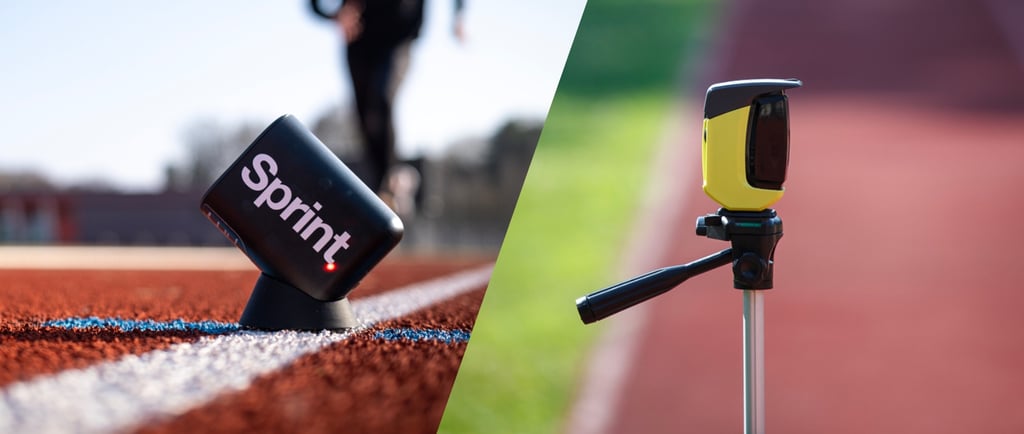

An athlete runs 20 metres in 3.41 seconds on a stopwatch. At the next session, the timing sensors show 3.48. Before changing the training plan, check what started and stopped the clock in each test. A change in method can affect the result even when the athlete’s performance stays the same.
A stopwatch is useful for quick feedback during training. For a programme that tracks small changes in sprint performance, electronic timing gives coaches more control over when the clock starts and stops. A consistent setup makes those readings useful from one session to the next.
What does each timing method measure?
Hand timing. A person presses the stopwatch in response to a cue or movement. The timer’s reaction, viewing angle and judgement can affect the reading. Use it for quick practice feedback or a basic timing activity.
Electronic timing. A device triggers the clock at defined events, such as crossings at the start and finish. Sensor placement, detection settings and trigger events affect the result. Use it for repeatable speed testing, split times and tracking athletes over a training block.
A phone stopwatch operated by hand still depends on the person pressing it. With a sensor-based setup, the coach can focus on the athlete while the equipment records the time between the chosen points.
Why can a stopwatch give a faster time?
If the coach presses start after the athlete has begun moving, part of the run is left out. If they press stop after the athlete crosses the finish, extra time is added. The net difference depends on both reactions and on the cues the coach uses.
In a study of 59 college American football players, experienced stopwatch timers recorded 40-yard dashes an average of 0.31 seconds faster than the electronic system. The stopwatch timers started on visible movement. The electronic setup started when the athlete lifted a hand from a switch mat and stopped at an infrared finish beam. That difference applies to the study’s test protocol. Keep it as a study result rather than applying it to your team’s 10 m or 20 m times. Mayhew et al., Journal of Strength and Conditioning Research
What changes when you switch to sensors?
Suppose your coach starts the stopwatch on the athlete’s first movement. Then you switch to two sensors and ask the athlete to stand behind the first one. The athlete is already moving when they cross that sensor and start the clock. You’ve changed the event that begins the measurement.
The distance from the athlete’s starting mark to the first sensor also matters. Move that mark back and the athlete has more room to accelerate before the timed section begins. Research on sprint testing has found that changes in starting distance can affect recorded times, particularly over short splits. Altmann, Speed Testing: Methodological Aspects and Applications to Soccer
How to move from stopwatch times to electronic timing
Keep the old results labelled. Mark existing scores as hand-timed so you can still use them as a record of those sessions.
Set a new baseline. Record the first electronic session separately. If you time the same runs with both methods, record each reading in its own column.
Write down the setup. Record the distance between detection points, the athlete’s starting mark, the stance, the surface and what triggers the clock.
Repeat the scoring method. If you report the fastest of two valid runs, use that rule again when you retest.
Look for a pattern across sessions. If an athlete improves by a few hundredths on one run, check whether the change shows up again under the same conditions.
If a stopwatch is what you have, use the same timer, viewing position and start cue each time. That gives you a clearer record of your own sessions.
What does the MotionTrials comparison show?
The published MotionTrials report compares Sprint and Microgate Witty on the same 20 m runs by 89 participants. Sprint recorded an average time 0.002 seconds lower than Witty. The reported limits of agreement for individual differences were −0.131 to +0.127 seconds. Coaches evaluating an individual athlete’s change should consider the spread between readings alongside the small average difference. Sprint vs. Witty comparison
If you’re setting up a sprint-testing programme for a school or club, you can try the workflow with your own athletes and test layout. Request a MotionTrials demo.

Designed and assembled in the EU.
© 2026, Motion Trials


¹ Products are processed and dispatched from the EU. Delivery is free on orders over €50 within the European Union. Import duties, local taxes, or handling fees may apply depending on your country's customs regulations and must be paid by the customer. Prior to ordering, please check your local customs requirements or contact our support team at support@motiontrials.com